> ## Documentation Index
> Fetch the complete documentation index at: https://cloud.laravel.com/docs/llms.txt
> Use this file to discover all available pages before exploring further.
# Workers
> Run queue workers and custom background processes on Laravel Cloud.
## Introduction
Workers run long-lived background processes alongside your application. All supported frameworks and runtimes can use workers for tasks such as processing jobs, consuming messages, synchronizing data, or running custom commands.
You can run workers on your environment's App compute cluster or on a dedicated worker cluster. App cluster processes share compute with your web traffic, while worker clusters let you size and scale background work independently.
## Worker clusters
Worker clusters are optional compute resources that mirror your environment's App compute. They use the same repository, branch, runtime and version, environment variables, deployment commands, database, and other resources. Each worker cluster can be independently sized and configured with its own background processes.
Dedicated worker clusters are useful when you want your App cluster to serve web traffic while separate compute resources handle background workloads.
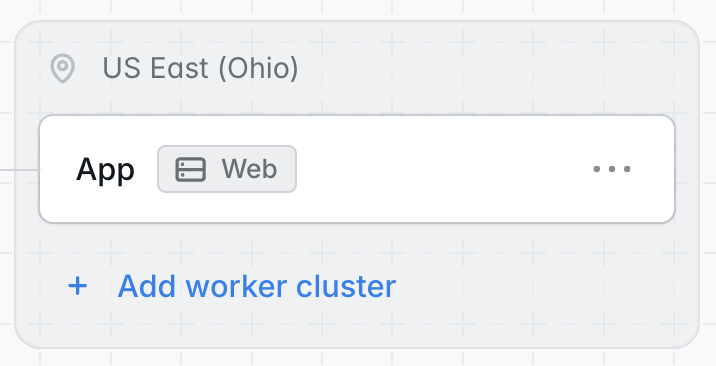
To add a worker cluster, click **Add worker cluster** on your environment's infrastructure canvas dashboard.
 Worker clusters do not serve web traffic. If your application needs more HTTP throughput capacity, modify your App compute cluster's size, replica count, or autoscaling settings and redeploy your application.
## App cluster background processes
You may also run background processes on your environment's App compute cluster. This is well suited to development, low-volume workloads, and small applications. For production workloads with meaningful background activity, use a dedicated worker cluster so that background processing does not compete with web traffic for CPU and memory.
## Configuring background processes
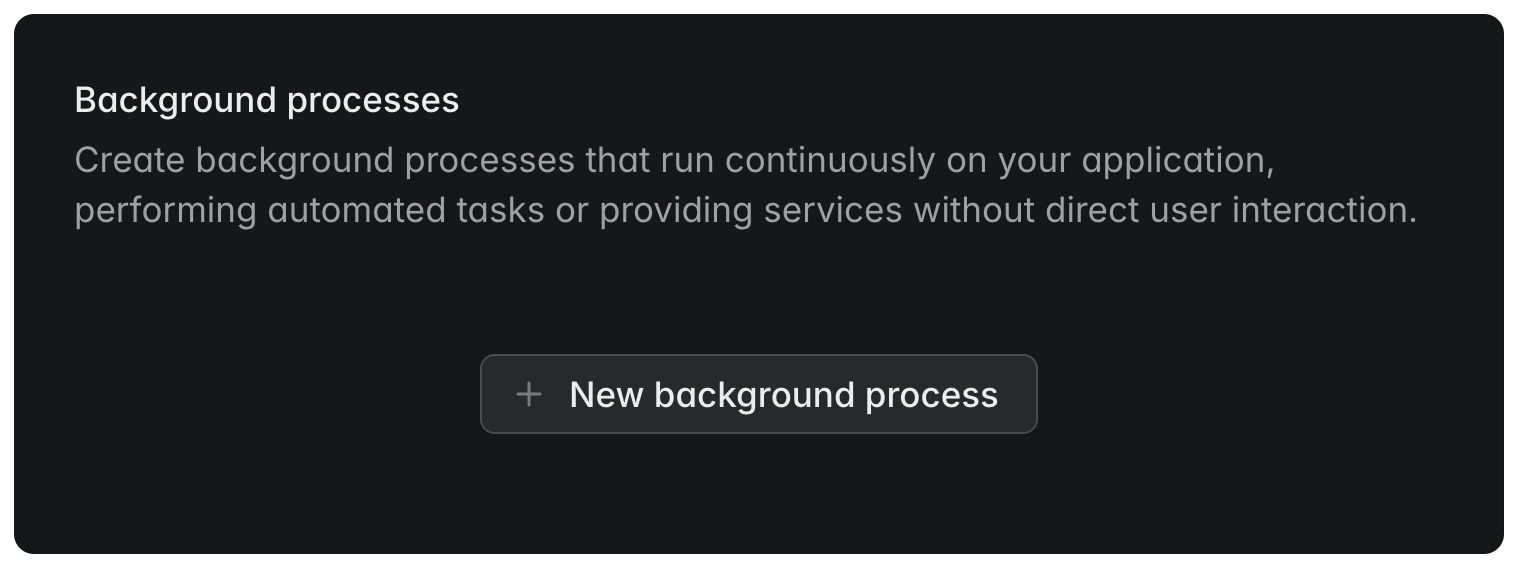
To configure a background process, click the App or worker cluster in your environment's infrastructure canvas dashboard. In the **Background processes** section, click **New background process**, configure the process, then save and deploy your environment changes.
Worker clusters do not serve web traffic. If your application needs more HTTP throughput capacity, modify your App compute cluster's size, replica count, or autoscaling settings and redeploy your application.
## App cluster background processes
You may also run background processes on your environment's App compute cluster. This is well suited to development, low-volume workloads, and small applications. For production workloads with meaningful background activity, use a dedicated worker cluster so that background processing does not compete with web traffic for CPU and memory.
## Configuring background processes
To configure a background process, click the App or worker cluster in your environment's infrastructure canvas dashboard. In the **Background processes** section, click **New background process**, configure the process, then save and deploy your environment changes.
 ### Laravel queue workers
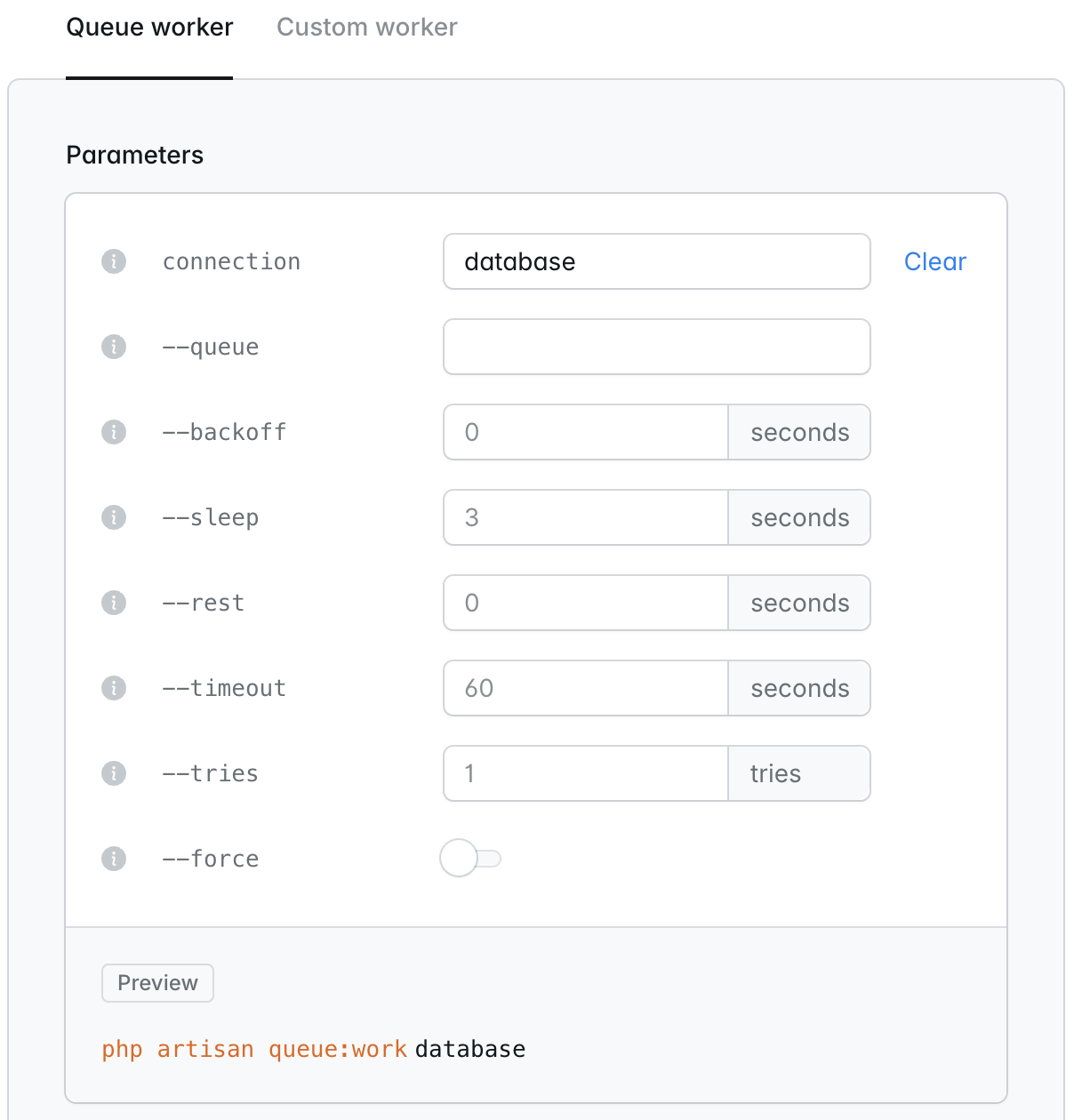
To run Laravel queue workers, choose the queue worker configuration and set the number of `queue:work` processes to run. Laravel Cloud restarts queue workers after each deployment, so you do not need to run `php artisan queue:restart`.
### Laravel queue workers
To run Laravel queue workers, choose the queue worker configuration and set the number of `queue:work` processes to run. Laravel Cloud restarts queue workers after each deployment, so you do not need to run `php artisan queue:restart`.
 ### Custom background processes
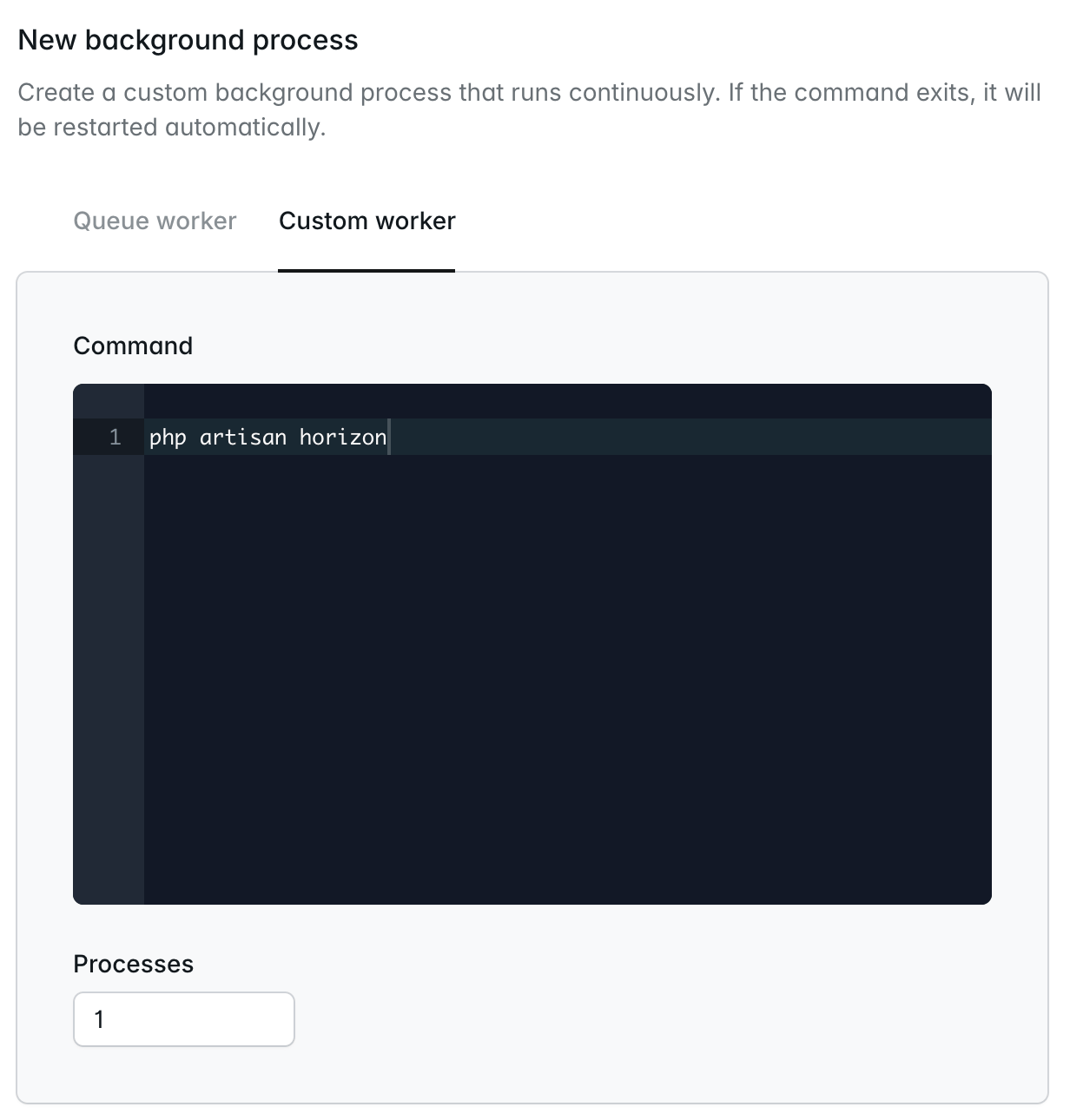
For arbitrary long-lived processes, select the **Custom worker** tab and provide the command and number of processes to run. Laravel Cloud automatically restarts a custom process if it exits prematurely.
For example, to run Laravel Horizon, use the following command and configure a single process:
```sh theme={null}
php artisan horizon
```
For example, a Symfony Messenger worker might use the following command:
```sh theme={null}
php bin/console messenger:consume async
```
Run the command that starts your application's background process. For example:
```sh theme={null}
node worker.js
```
Run your compiled binary with the arguments that start its background work. For example:
```sh theme={null}
./app worker
```
Run the command that starts your application's background process. For example:
```sh theme={null}
python worker.py
```
### Custom background processes
For arbitrary long-lived processes, select the **Custom worker** tab and provide the command and number of processes to run. Laravel Cloud automatically restarts a custom process if it exits prematurely.
For example, to run Laravel Horizon, use the following command and configure a single process:
```sh theme={null}
php artisan horizon
```
For example, a Symfony Messenger worker might use the following command:
```sh theme={null}
php bin/console messenger:consume async
```
Run the command that starts your application's background process. For example:
```sh theme={null}
node worker.js
```
Run your compiled binary with the arguments that start its background work. For example:
```sh theme={null}
./app worker
```
Run the command that starts your application's background process. For example:
```sh theme={null}
python worker.py
```
 Each configured process runs on every instance of its App or worker cluster. For example, a cluster with five replicas and a process configured to run 10 times starts 50 processes. Ensure your compute size and autoscaling range can accommodate their memory usage.
## Workers and Scale to Zero
Worker clusters can either stay awake at all times or follow the App cluster and sleep alongside it. Configure this behavior in the worker cluster's settings.
If a worker cluster runs queue workers or other work that must not be interrupted, keep it awake. A worker cluster that follows an App cluster stops when the App cluster's sleep timeout elapses, even if a background process is still running. For Laravel queue workers, see [Queue workers and Scale to Zero](/docs/queues#queue-workers-and-scale-to-zero).
## Queue clusters (deprecated)
Queue clusters are deprecated. New queue clusters cannot be created, and existing queue clusters will be sunset on **September 30, 2026**. We recommend migrating to [managed queues](/docs/queues#managed-queues) or worker clusters. For a step-by-step walkthrough, see [Migrate from queue clusters](/docs/knowledge-base/migrate-from-queue-clusters).
Queue clusters run `php artisan queue:work` in a fully isolated cluster whose sole purpose is running and scaling queue worker processes based on job latency and queue pressure. If you have an existing queue cluster, it remains visible in your environment's infrastructure canvas and continues processing jobs until the sunset date. Jobs dispatched after that date stay in your queue driver unprocessed. Redis and database queues retain them indefinitely, while an SQS connection drops them after its message retention period, at most 14 days.
Each configured process runs on every instance of its App or worker cluster. For example, a cluster with five replicas and a process configured to run 10 times starts 50 processes. Ensure your compute size and autoscaling range can accommodate their memory usage.
## Workers and Scale to Zero
Worker clusters can either stay awake at all times or follow the App cluster and sleep alongside it. Configure this behavior in the worker cluster's settings.
If a worker cluster runs queue workers or other work that must not be interrupted, keep it awake. A worker cluster that follows an App cluster stops when the App cluster's sleep timeout elapses, even if a background process is still running. For Laravel queue workers, see [Queue workers and Scale to Zero](/docs/queues#queue-workers-and-scale-to-zero).
## Queue clusters (deprecated)
Queue clusters are deprecated. New queue clusters cannot be created, and existing queue clusters will be sunset on **September 30, 2026**. We recommend migrating to [managed queues](/docs/queues#managed-queues) or worker clusters. For a step-by-step walkthrough, see [Migrate from queue clusters](/docs/knowledge-base/migrate-from-queue-clusters).
Queue clusters run `php artisan queue:work` in a fully isolated cluster whose sole purpose is running and scaling queue worker processes based on job latency and queue pressure. If you have an existing queue cluster, it remains visible in your environment's infrastructure canvas and continues processing jobs until the sunset date. Jobs dispatched after that date stay in your queue driver unprocessed. Redis and database queues retain them indefinitely, while an SQS connection drops them after its message retention period, at most 14 days.