

502 Gateway Error means that Cloudflare could not reach your application. Laravel Cloud uses Cloudflare in its networking layer. This error can happen when the instance serving your application becomes unresponsive. Common causes include the following.
Your environment may be under-provisioned
Depending on what your application does, it may consume more memory than your compute instance has available. When your application attempts to allocate more memory than is available, the pod running your application crashes and needs to reboot. Small compute instances, such as those with 256MB or 512MB RAM, are the most common to run out of memory. Common sources of high RAM usage include:- Unoptimized queries. Consider using eager loading or chunking when necessary to reduce data stored in memory.
- High number of active jobs. A large number of jobs, particularly those with large payloads, may consume an excess of memory.
- Too many queue workers. Each worker consumes memory, so many workers may consume more memory than you expect.
- Excessive logging and debugging. If your application has
APP_DEBUG=true, you should expect higher memory usage through more verbose logging. - Inefficient templates. Large, deeply nested server-side templates and complex looping constructs can increase memory consumption.
Laravel Horizon may be configured improperly
If you use Laravel Horizon to manage your Redis-backed queues, be mindful of how Horizon spawns workers. The number of workers directly affects your application’s memory usage. First, configure Horizon in your Laravel Cloud application to run with a single process (1 process). Horizon spawns its own workers based on the settings in your application’s config/horizon.php file.
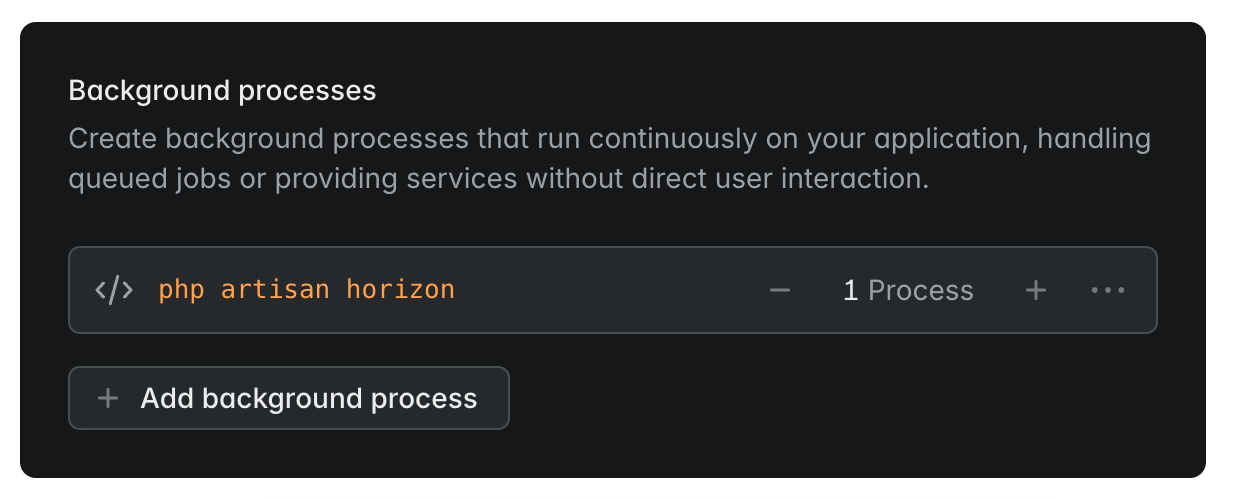
config/horizon.php file via the maxProcesses key. When Horizon starts, it spawns processes based on this value for each supervisor you define. Too many workers can use more memory than your instance has.
- If Horizon isn’t processing any jobs, make sure your
config/horizon.phpfile has a key underenvironmentsthat matches yourAPP_ENVvalue, or includes an*key as a fallback for when no matching environment is found. For more information, refer to the Horizon documentation. - Upgrade to Laravel Horizon >=
v5.31. Older versions of Horizon spawn workers more aggressively on startup. Even if Horizon starts successfully, your application may still crash if the maximum number of workers needs more memory than is available. - Consider moving your Horizon or
queue:workworkers onto worker clusters separate from your app cluster. Your application then stays reachable even when your job queues are under heavy load.