

Introduction
You deploy in Laravel Cloud whenever you have new code to release, new resources to attach, or environment settings to update. When a new deployment starts, Laravel Cloud takes your code and environment settings and builds an image for your application’s runtime and version. Then it runs your build and deploy commands. Once your build succeeds, Laravel Cloud brings the new deployment online with zero downtime. It gracefully terminates the existing deployment and lets any running processes complete.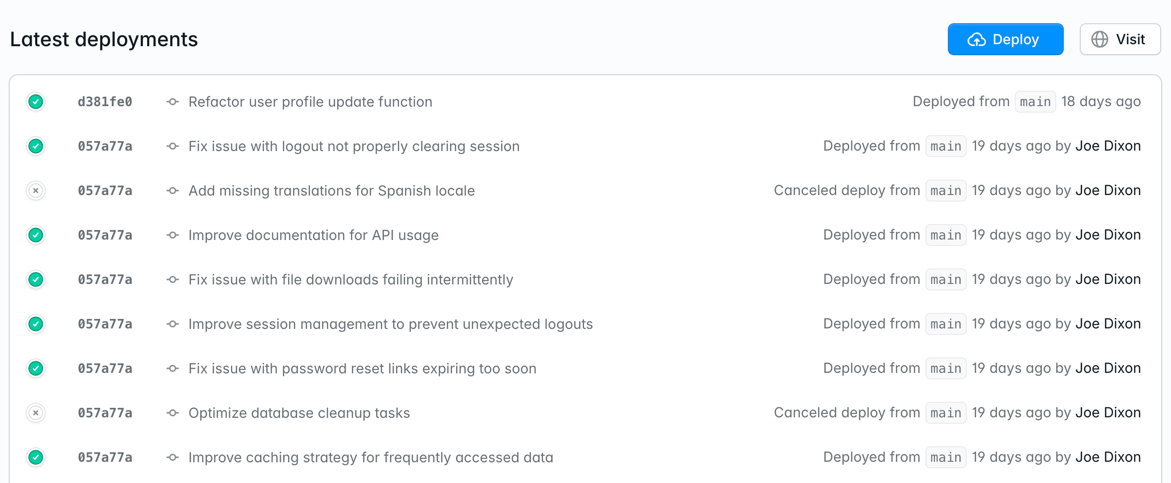
Deploy options
Push to deploy
Every time you push new code to your remote Git branch, Laravel Cloud automatically starts a new deploy. Push to deploy is enabled by default on all environments. To change this setting, go to Settings > Deployments.Deploy hooks
To trigger a deployment through an HTTP endpoint, enable the Deploy hook option in Settings > Deployments. Laravel Cloud then gives you a URL that your CI pipeline can send a POST request to. You can refresh the URL anytime from the Deployments settings. You can also deploy a specific commit by passing acommit_hash query parameter to the deploy hook URL. The commit must belong to the branch configured for the environment.
Example using GitHub Actions
Deploy hooks let you trigger Laravel Cloud deployments from your CI pipeline. Here’s a complete example using GitHub Actions:-
First, add your deploy hook URL as a secret in your GitHub repository:
- Go to your GitHub repository settings.
- Navigate to Secrets and variables > Actions.
- Add a new secret named
LARAVEL_CLOUD_DEPLOY_HOOKwith your deploy hook URL.
-
Create a
.github/workflows/deploy.ymlfile in your repository:
- Commit and push the workflow file to trigger your first deployment.
- Pull your code from the specified commit
- Run your configured build commands
- Run your configured deploy commands
- Deploy your application with zero downtime
Manual
You can trigger a deployment from the Laravel Cloud dashboard anytime by clicking the Deploy button on the environment overview page or the Deployments page. When you update environment settings, Cloud stages your changes until you deploy them. Review the pending changes and deploy them together from the staged changes banner, or click Deploy at any time.Troubleshooting
Framework or runtime version not supported
- Laravel
- Symfony
- Next.js
- Nuxt
- JavaScript
- Go
- Python
Laravel Cloud requires Laravel 9 or greater. You should also use the latest minor version of the
laravel/framework Composer package. The minimum minor versions required are:- Laravel 11:
v11.41.3 - Laravel 10:
v10.48.28 - Laravel 9:
v9.52.20
Deployment succeeds but serves no traffic
- JavaScript
- Next.js
- Nuxt
- Go
- Python
- Rust
Laravel Cloud’s proxy, which runs alongside your application in each instance, routes traffic to your application on the port set by the
PORT environment variable (3000 by default, or the port you chose when creating the application). Make sure your Express, Hono, or other JavaScript application reads PORT rather than listening on a hardcoded port.Build or start command not configured
Go applications require an explicit build command because Laravel Cloud has no default way to compile a Go module for you. Go, Python, and JavaScript applications require an explicit start command because no framework tells Laravel Cloud how to run them. Laravel Cloud pre-fills a default for each command when it first detects your application, so you usually see this error only if you’ve cleared the field. If a required command is blank, the deployment fails immediately with “The environment has no build command configured” or “The environment has no start command configured.” For a Go application, restore a build command such as:Django start command still has the <project> placeholder
Laravel Cloud discovers your Django project’s WSGI module from your repository and pre-fills the start command with it. When the module can’t be discovered, the start command falls back to a <project> placeholder:
<project> with your Django project’s settings module name (the directory containing wsgi.py) before deploying. If the placeholder is still there when you deploy, the deployment fails with “The start command still contains the <project> placeholder. Replace <project> with your Django project’s module name.”