

Introduction
Laravel Cloud runs scheduled tasks for Laravel and Symfony applications, so you can run tasks on a defined frequency without managing cron infrastructure yourself. Other supported runtimes can run custom scheduling processes through Workers.- Laravel
- Symfony
The Laravel framework includes a built-in “cron” system for task scheduling that runs tasks every minute, hour, day, or at another custom frequency. You can enable the scheduler from the Laravel Cloud dashboard.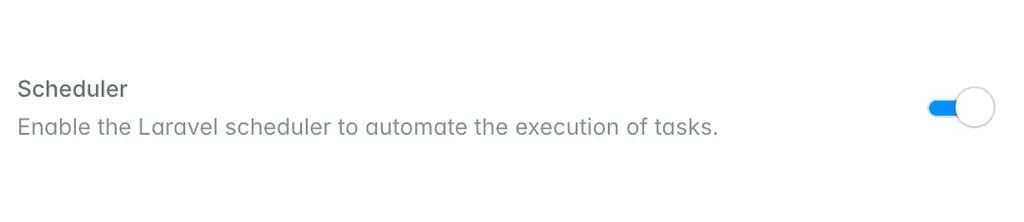
Enabling the task scheduler
The most direct way to start running scheduled tasks is to enable the task scheduler on your environment’s App cluster. On the App cluster, scheduled tasks run on the same compute instances that handle your application’s incoming HTTP traffic.To get started, click your environment’s App cluster in the infrastructure canvas dashboard. Then, enable the “Scheduler” toggle. Finally, save and redeploy the changes to your App cluster.schedule:run Artisan command every minute on your App cluster, and your Laravel application processes its scheduled tasks.If you would like to run scheduled tasks on infrastructure that is separate from the compute that handles your incoming web traffic, you may also enable the task scheduler on a worker cluster.
Scheduled tasks and multiple replicas
If you have scaled your environment’s compute to use multiple replicas, make sure you are using Laravel’sonOneServer method when scheduling your tasks. Otherwise, your tasks will run on every replica, which may lead to unexpected behavior in your application. If you intend for a scheduled task to run on all replicas, you may omit the onOneServer method when scheduling the task.For more information on Laravel task scheduling, consult the Laravel task scheduler documentation.Scheduled tasks and scale-to-zero
When an environment can scale to zero, it automatically wakes to run your scheduled tasks, so they continue to run on schedule even while the environment is sleeping.To determine when to wake your application, Laravel Cloud relies on the cron schedules reported by thephp artisan schedule:list command. Each time you deploy, Laravel Cloud runs this command and stores its output. Laravel Cloud then uses the stored schedule to calculate when each of your tasks is next due, and wakes your environment at that time. Because Laravel Cloud captures this output only at deploy time, changes to your task schedule do not take effect until your next deployment.When the environment wakes to run a scheduled task, it stays awake for the duration of the sleep timeout. To avoid keeping your environment awake continuously, do not schedule tasks at intervals shorter than your sleep timeout. For example, a task that runs every 5 minutes on an environment with a 5-minute sleep timeout will never allow the environment to sleep.Laravel Cloud points the scheduler’s cache driver at your environment’s cache store. The task scheduler queries this store only when a task uses Laravel’s withoutOverlapping or onOneServer methods, or when it runs sub-minute tasks. A typical schedule does not query the store on every run. However, if you frequently run tasks that rely on these methods, the resulting cache lookups may keep an attached database or cache awake, so it cannot scale to zero.